

Confused by complex lighting controls? Costly rewiring and inflexible zones can hurt your projects. DALI offers a simpler, smarter, and more adaptable solution for modern buildings.
DALI (Digital Addressable Lighting Interface) is a global standard for lighting control. It uses a 2-wire digital bus1 to communicate with individual lights, allowing precise dimming, grouping, scene-setting, and status feedback without complex wiring changes.

For distributors like my client Jose in Mexico, understanding DALI is a game-changer. It moves the conversation from just price to long-term value, reliability, and innovation. But to explain it, you need to know how it works from the ground up. Let's break down this powerful technology piece by piece, so you can confidently specify it for your next big project.
DALI is an analog control system.False
DALI is a digital protocol. It sends digital data packets, unlike analog systems like 0-10V which use varying voltage levels.
DALI is a global standard for lighting control, defined by IEC 62386.True
The International Electrotechnical Commission (IEC) maintains the DALI standard, ensuring it is a globally recognized and interoperable protocol.
What is DALI and how does it work?
Stuck with "all on" or "all off" lighting? This lack of individual control requires complex wiring for any flexibility. DALI solves this by giving every light its own digital address.
DALI uses a simple 2-wire bus to send digital commands to devices. Each device, like an LED driver, gets a unique address. This allows you to control them individually, group them in software, and create preset scenes, all without touching the physical wiring.

Dive Deeper into DALI's Core Components
At its heart, a DALI network is a small, self-contained ecosystem. It's built from a few key parts that work together. Think of it as a team where each member has a specific job.
Devices and Bus Voltage
The main players are the control gear (like LED drivers) and control devices (like sensors or switches). They all connect to a 2-wire bus. This bus is powered by a DALI power supply, which provides a low voltage (typically 16V DC) to run the communication. Because it's low voltage and has a low data rate, the communication is very robust and not easily disturbed by electrical noise.
Addresses, Groups, and Scenes
This is where DALI's magic lies. The system is structured in a clear hierarchy.
| Component | Max per DALI Line | Function |
|---|---|---|
| Address | 64 | A unique ID for each device (e.g., a single light fixture). |
| Group | 16 | A collection of addresses. A device can be in multiple groups. |
| Scene | 16 | A preset light level for each device. A device can store 16 scene settings. |
So, you can command "Address 5, go to 50%." Or you can command "Group 2, turn off." Or you can tell the whole line, "Activate Scene 1," and every light will go to its pre-programmed level for that scene.
A DALI bus requires special, shielded cable.False
DALI is designed to be robust and can often be run with standard 2-core, mains-rated cable, even in the same conduit as power lines, simplifying installation.
Each DALI device can be a member of multiple groups.True
This flexibility is a core benefit. A single light can be part of the 'Office Zone' group and the 'Emergency Exit Path' group simultaneously.
DALI vs 0–10V vs DMX: which control best fits offices, retail, and industrial?
Choosing the right lighting control system is confusing. The wrong choice leads to high costs, poor performance, and unhappy clients. You need to know which protocol is right for the job.
DALI is ideal for commercial spaces needing flexibility, like offices and retail. 0-10V is a simple analog dimming solution for basic zones where individual control isn't needed. DMX is for dynamic, fast color-changing effects in entertainment or architectural lighting.

Dive Deeper into Application-Specific Choices
I always tell my clients that the best protocol depends entirely on the project's needs. There is no single "best" system, only the "right fit." Let's look at some common environments.
Office Spaces
For offices, flexibility is everything. My experience shows that office layouts change frequently. With 0-10V, changing lighting zones means calling an electrician to rewire circuits. With DALI, you just reprogram the groups in software. This is why reconfiguration costs2 can drop by 30-50% with DALI. Per-fixture addressing allows you to easily adapt to new desk layouts or create specific task lighting, all from a laptop.
Retail and Industrial
In retail, DALI scenes are perfect for creating different moods—bright for daytime, softer for evenings, or special lighting for promotions. In industrial settings, the benefits are different. DALI's ability to monitor lamp run-time and report failures is huge. You can schedule maintenance proactively instead of waiting for a light to go out in a critical area. This, combined with energy savings from daylight harvesting sensors, makes it a smart choice for large warehouses and factories.
| Protocol | Best For | Key Advantage | Key Disadvantage |
|---|---|---|---|
| DALI | Offices, Retail, Healthcare | Digital, flexible, two-way communication | Higher initial component cost |
| 0-10V | Basic Warehouses, Parking | Simple, low cost, widely understood | Analog, one-way, inflexible zoning |
| DMX | Theaters, Facades, Stage | Fast, high channel count, color effects | Complex wiring, requires specialists |
0-10V systems can report when a lamp has failed.False
0-10V is a one-way communication protocol. It sends a voltage signal to the driver but cannot receive any feedback, such as lamp status or energy usage.
DALI allows for both individual and group control on the same wiring circuit.True
Because control is digital and address-based, all fixtures can be on one power circuit but controlled independently or in groups via software commands.
DALI-2 and DT8: why do certification and tunable white matter?
Have you ever seen a project with inconsistent lighting? Where colors don't match or the dimming is jerky and unpleasant? This happens with low-quality or mismatched components. DALI-2 and DT8 standards solve this.
DALI-2 certification3 guarantees that devices from different manufacturers will work together perfectly. DT8 (Device Type 8) is a specific DALI standard for tunable white. It uses one address to control both brightness and color temperature, ensuring they stay perfectly synchronized.

Dive Deeper into DALI-2 and DT8
For a distributor like Jose, who worries about suppliers falsifying certificates, understanding these standards is critical. They are your guarantee of quality and performance.
The Power of DALI-2 Certification
The original DALI standard was great, but it mainly focused on the control gear (the drivers). This left room for interpretation with control devices (sensors, switches). DALI-2 fixes this. It is a much stricter certification program managed by the DALI Alliance (DiiA). It covers all device types and mandates rigorous testing. When you see the DALI-2 logo, it means the product is guaranteed to be interoperable. This gives you the freedom to mix and match the best devices from different brands, like Besenled, without worrying about compatibility.
Why DT8 is Critical for Tunable White
tunable white4 lighting is fantastic for human-centric applications in offices and healthcare. But controlling it can be a pain. A common workaround is using two separate 0-10V channels—one for intensity, one for color temperature (CCT). This often leads to drift, where the color changes as you dim. DALI DT8 treats a tunable white fixture as one logical device. It uses a single DALI address to manage both CCT and dimming together. This ensures the light quality remains perfectly consistent, which is critical for glare-sensitive environments.
DALI-2 certified products are not compatible with original DALI systems.False
DALI-2 was designed for backward compatibility. DALI-2 control gear can be used in older DALI systems, and DALI-2 control systems can control older DALI control gear.
DT8 requires two DALI addresses to control one tunable white fixture.False
The key benefit of DT8 is that it uses only one short address to control both intensity and color temperature, saving valuable address space on the DALI line.
D4i and smart luminaires: what are metering, diagnostics, and asset IDs?
Your lights are just dumb fixtures, right? You have no idea when they will fail or how much energy they use. D4i is the solution that makes your luminaires smart.
D4i is an extension of DALI-2 that standardizes data storage and power requirements within a luminaire. It enables fixtures to report their energy usage (metering), operational health (diagnostics5), and inventory information (asset IDs), turning them into intelligent, data-rich network devices.

Dive Deeper into Intra-Luminaire DALI
D4i brings the intelligence of the DALI bus inside the light fixture itself. It creates a standardized way for the LED driver to store and share critical data. This is a huge step towards truly smart buildings and simplified maintenance.
Energy Metering and Diagnostic Data
With D4i, every single light fixture can report exactly how much power it's using and for how long it has been running. This is incredibly powerful for energy management and verifying savings. Even more important is the diagnostic data. The driver can report its own status and the lamp's status. As I've seen in campus trials, this is a maintenance game-changer. Automated reports can cut fault localization time from hours of searching at night to just minutes reading a log.
Asset Management
Every D4i driver can store information about the luminaire it's in—part number, serial number, manufacturing date. This makes asset tracking across a large building or campus automatic. When a fixture needs replacing, the system already knows the exact model, so the maintenance team can bring the right part on the first trip. This data is standardized, so it works no matter who made the fixture or the driver.
D4i is a completely separate protocol from DALI.False
D4i is built on top of the DALI-2 standard. It is a specific set of features and specifications that operate within the DALI-2 framework to enhance intra-luminaire functionality.
D4i includes specifications for powering sensors and communication modules directly from the LED driver.True
A key part of D4i is the mandatory inclusion of an integrated DALI bus power supply and an auxiliary 24V power source within the driver, simplifying the addition of smart sensors.
Wiring and topology: what about bus length, stubs, and power supplies?
Have you ever had a DALI project fail for no obvious reason? Intermittent communication issues can be a nightmare to debug. The cause is often simple: improper wiring.
DALI uses a simple 2-wire bus that can run alongside mains power. For best results, keep the total bus length under 300 meters. A daisy-chain wiring topology is strongly recommended. Avoid star configurations and long stubs to prevent signal reflections and communication errors.

Dive Deeper into Reliable DALI Wiring
From my years of commissioning, I can tell you this: DALI networks fail more often from bad wiring topology than from faulty devices. Getting the physical layer right is the foundation for a reliable system. It's not complicated, but you have to follow the rules.
The 300-Meter Rule and Cable Type
The DALI standard specifies a maximum bus length of 300 meters using 1.5 mm² cable. This limit ensures that the voltage drop across the line isn't too severe, so devices at the far end can still communicate reliably. You don't need special shielded cable. Standard 2-core electrical wire is fine, and you can even run it in the same conduit as the mains power cables, which saves a lot of installation time and cost. Polarity doesn't matter for communication, but it's good practice to be consistent.
Topology Matters: Daisy-Chain is King
The best way to wire a DALI line is in a simple daisy-chain: from the controller to the first light, then from the first light to the second, and so on. You can have short branches (stubs) off the main line, but keep them very short. The worst thing you can do is create a "star" topology, where multiple long branches all meet at one point. This creates signal reflections that corrupt the data, leading to commands being missed and intermittent failures that are very hard to track down.
DALI wiring is polarity sensitive and will not work if the DA+ and DA- wires are swapped.False
The DALI bus is polarity-insensitive. The devices are designed to work regardless of how the two data wires are connected, which simplifies installation and reduces errors.
A star topology is the most reliable way to wire a DALI network.False
A star topology is the least reliable method and should be avoided. It causes signal reflections that corrupt communication. A daisy-chain or line topology is the recommended and most robust method.
Commissioning workflow: how do you handle addressing, grouping, and scenes?
Setting up a DALI system for the first time can seem intimidating. You might worry about a long, technical process. In reality, a structured workflow makes it straightforward and fast.
The commissioning process has three main steps. First, the system automatically finds and assigns a unique address to each device. Second, you use software to organize those addresses into logical groups. Finally, you program scenes and schedules to create the desired lighting behaviors.

Dive Deeper into the Commissioning Process
This is where DALI's software-based power really shines. All the complex logic is handled on a computer, not in the ceiling with a pair of wire cutters. This is how you unlock the massive ROI.
Step 1: Addressing
When you first power up a new DALI line, none of the devices have an address. The commissioning tool sends out a command, and all the devices generate a random number. The tool then sorts through these numbers to assign a unique short address (from 0 to 63) to each device one by one. This process is mostly automated. The end result is a map of every single controllable point on your network.
Step 2: Grouping
Once every device has an address, you can start grouping them. This is done by simply dragging and dropping addresses into group folders in the software. You can put the lights over one bank of desks into "Group 1" and the lights by the windows into "Group 2." A single light can belong to multiple groups. As I mentioned, this flexibility is why office reconfiguration costs drop so much. When a wall moves, you just update the groups in software. No rewiring needed.
Step 3: Scenes and Schedules
With your groups defined, you can create scenes. A scene is a stored command that tells every light what level to go to. For example, "Scene 1: Presentation Mode" might dim the lights over the screen to 10% and bring the lights over the table to 70%. You can then link these scenes to wall switches or set them on an automatic schedule.
DALI addressing must be done manually for each fixture before installation.False
Addressing is an automated software process done after all devices are wired and powered on. The commissioning tool finds and assigns addresses to all connected devices.
Once a DALI group is programmed, it can only be changed by rewiring the fixtures.False
Groups are purely software-based. They can be changed at any time using commissioning software without any physical wiring changes, which is a major advantage of DALI.
Gateways: how do you integrate with BACnet/KNX for building-level control?
Your lighting system is an isolated island. You can't control it from your main Building Management System (BMS). Gateways are the solution that bridges this gap.
A DALI gateway6 is a device that translates DALI commands to other building automation protocols like BACnet or KNX, and vice-versa. This allows a central BMS to monitor energy use, trigger lighting scenes, and execute building-wide schedules across many DALI networks.

Dive Deeper into Building-Level Strategy
Integrating DALI into a larger BMS is common for large corporate or campus projects. But the strategy you use is critical for system reliability. A mistake here can create a single point of failure.
The Role of a Gateway
Think of a gateway as a translator. The BMS speaks BACnet/IP, but the lights speak DALI. The gateway sits in the middle and converts messages between them. For example, the BMS can send a single BACnet command like "Set Building to After-Hours Mode." The gateway receives this, then sends the appropriate DALI scene command to hundreds of individual DALI lines across the building. It can also collect energy and diagnostic data from the DALI lines and report it back to the BMS.
A Smart Integration Strategy
Here is my most important piece of advice on gateways: keep the lighting logic local. The DALI bus should handle all real-time control like dimming, sensors, and wall switches. It's rock-solid and designed for this. Use the gateway and BMS for high-level functions: building-wide scheduling, global commands, and data monitoring. Why? If your central network or BMS goes down, you don't want the lights on an entire floor to stop working. By keeping the core logic on the local DALI line, the lights will continue to operate normally from local switches and sensors, even if the backbone is down.
A DALI gateway is required for any DALI system to function.False
A DALI system is fully functional on its own for room or floor-level control. A gateway is only needed when you want to integrate it with a different, building-wide control protocol like BACnet or KNX.
Using a gateway allows a single BMS to control thousands of DALI lights across a building.True
Gateways enable scalability. A BMS can manage many gateways, and each gateway can manage one or more DALI lines (each with up to 64 devices), allowing for centralized control of a massive number of fixtures.
Compliance: what about tender requirements and multi-vendor interoperability?
Winning a large project bid is tough. Your proposal can be rejected simply for not meeting the right technical specifications. The solution is to specify DALI-2 to guarantee compliance and performance.
For tenders, requiring "DALI-2 certified" components is critical. It ensures all parts, from drivers to sensors, will work together seamlessly, even if they come from different manufacturers. This avoids vendor lock-in and assures the client they are getting a system that meets a robust international standard.

Dive Deeper into De-Risking Projects
For my clients like Jose, who are building a reputation for quality, compliance is not just a box to check. It's a core part of their brand promise. His biggest fear is getting low-quality products with fake certificates that fail in the field. This is where the DALI-2 standard provides real business value.
Winning Tenders with DALI-2
When a building owner or general contractor sees "DALI-2 Certified" in a tender response, it tells them you are serious about quality. It de-risks the project for them. They know they won't be stuck with a system where the sensors from one brand don't work with the drivers from another. The DALI Alliance maintains a public database of all certified products, so you can verify any claim instantly. This transparency builds trust and helps you win projects.
The Importance of Documentation and Interoperability
A compliant installation includes complete documentation. This means providing the client with address maps, group layouts, and scene configurations. This documentation is vital for future maintenance and reconfiguration. The core promise of DALI-2 is multi-vendor interoperability. As a factory, we at Besenled ensure our DALI-2 products are rigorously tested to work with any other certified device on the market. This gives distributors and installers the freedom to choose the best product for the job without being locked into a single proprietary ecosystem.
The 'DALI' logo and 'DALI-2' logo mean the same thing.False
The DALI-2 logo signifies a much higher level of compatibility and functionality. It means the product has passed a mandatory, independent certification process, whereas the original DALI logo was often self-declared.
Specifying DALI-2 in a tender increases the risk of vendor lock-in.False
DALI-2 does the opposite. Because it guarantees interoperability between different manufacturers, it prevents vendor lock-in and gives the client more choice and competitive pricing over the building's lifetime.
Troubleshooting: how do you fix device feedback, logs, and common wiring faults?
A light isn't working. Now you face hours of searching in a dark ceiling trying to find the problem. With DALI, this headache is gone. Its built-in feedback makes troubleshooting fast and efficient.
DALI systems can query the status of every driver and lamp. If a light fails, the system can tell you exactly which one it is and often why (e.g., lamp failure vs. driver failure). Most problems that do occur are simple wiring faults.

Dive Deeper into Fast Fault-Finding
The two-way communication of DALI is not just for control; it's a powerful maintenance tool. It turns every light fixture into a sensor that reports on its own health.
Using Device Feedback and Logs
As I saw in a large campus project, the maintenance team's life changed with DALI. Before, a call about a dead light meant sending a technician with a ladder to manually check fixtures. With DALI, they just check the system log. The log will say "Address 43: Lamp Failure." They now know the exact location and the problem before they even leave the office. This reduced their average fault localization time from hours to just a few minutes. The system can even send an automated email to the maintenance department.
Common Wiring Faults
When a whole section of lights is acting up, the first place I look is the wiring. The most common faults are exceeding the 300-meter bus length limit or creating a star topology. Both can cause intermittent data loss that looks like a device failure. Another simple issue is a missing or failed DALI power supply. The bus needs that 16V to communicate. A quick check with a multimeter on the two DALI wires will tell you if power is present. Following the wiring best practices from the start is the best way to avoid these issues altogether.
You need specialized diagnostic tools to read DALI error codes.False
Most DALI commissioning software includes a logging or monitoring function that displays device status and error messages in plain language (e.g., 'Lamp Failure'), making it easy to diagnose problems.
If one DALI driver fails, the entire DALI line will stop working.False
A single device failure will not bring down the entire bus. All other devices on the line will continue to operate normally, and the system will report the specific address of the failed device.
Cost and ROI: what are the impacts on materials, reconfiguration, and maintenance?
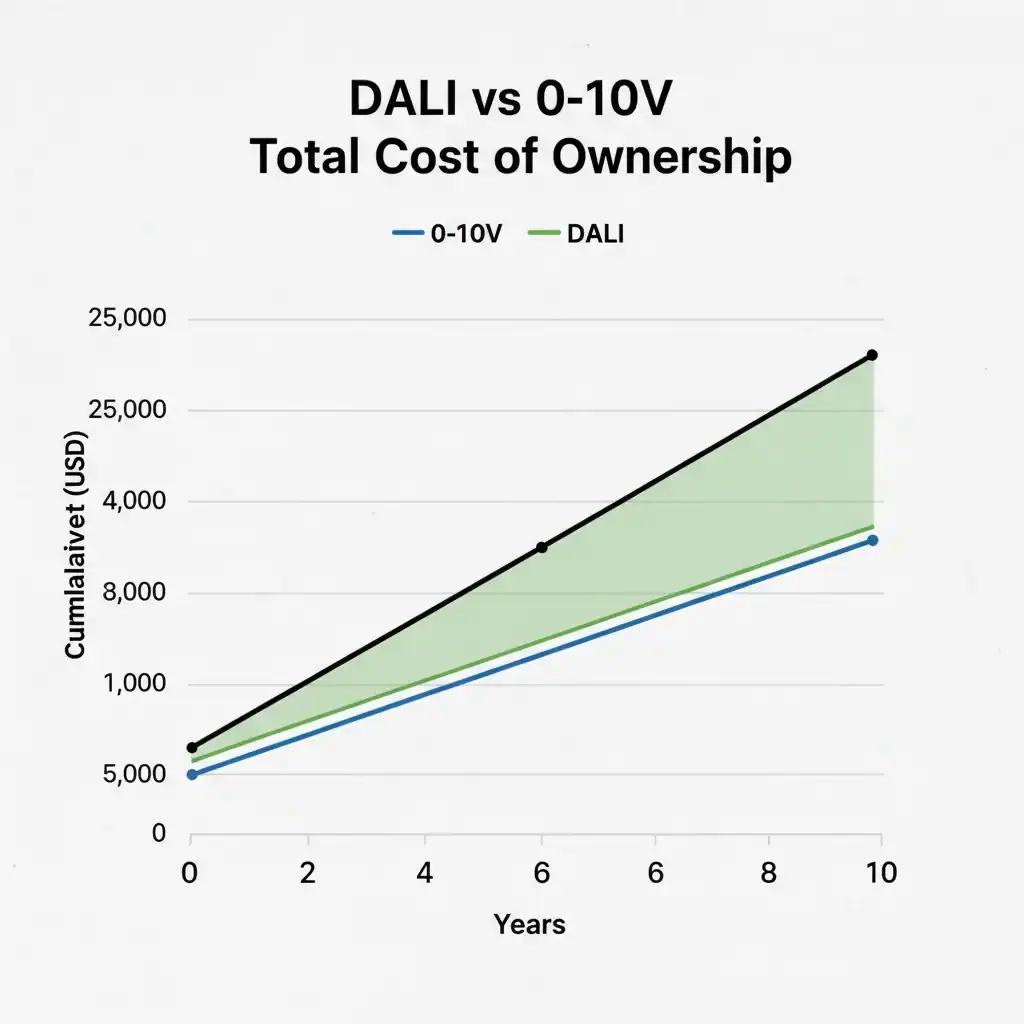
DALI can seem more expensive upfront. Justifying the higher initial component cost to a client can be a challenge. The key is to focus on the total cost of ownership7 and the long-term return on investment (ROI).
While individual DALI components can be pricier than analog ones, the system saves significant money on wiring, labor, and future changes. The ability to reconfigure lighting zones in software can reduce churn costs in offices by 30-50%, and built-in diagnostics slash maintenance expenses.
Dive Deeper into the Business Case for DALI
When I talk to business owners like Jose, we always discuss ROI. A slightly higher product cost is an easy sell if you can prove it will save the end customer thousands of dollars over the building's life.
Material and Labor Savings
With traditional zoned lighting, you need separate wiring circuits for each switchable group. This means more wire, more conduit, and more circuit breakers in the panel. With DALI, all lights can be on a single power circuit. Control is handled by the 2-wire bus. This reduction in copper and panel complexity leads to real material and labor savings during the initial installation.
Reconfiguration and Maintenance ROI
This is the biggest financial win. I always share this insight: in a typical office, layouts change. With 0-10V, moving a wall means paying an electrician to pull new wires. With DALI, it's a 15-minute job on a laptop to redraw the groups. This massive operational saving is a powerful argument. Add to that the maintenance savings from diagnostics. Knowing exactly which light failed and why means fewer hours for technicians, faster repairs, and a safer, better-lit environment. When you add up installation, reconfiguration, and maintenance savings, DALI often has a lower total cost of ownership than "cheaper" analog systems.
DALI systems always require more wiring than traditional systems.False
DALI systems typically require less wiring. The 5-wire standard (L, N, E, DA+, DA-) replaces multiple switched circuits, reducing the amount of copper, conduit, and circuit breakers needed.
The primary financial benefit of DALI is energy savings.False
While DALI enables significant energy savings through advanced control, the largest financial ROI often comes from reduced operational costs, specifically lower maintenance expenses and the drastically lower cost of reconfiguring spaces.
Your DALI Questions Answered: A Quick FAQ?
You still have some specific questions about DALI. Searching for clear, direct answers can be time-consuming. Here are my quick responses to the most common queries I get from clients.
This section provides fast answers to key questions. We cover how DT8 ensures perfect tunable white, device limits, safe wiring, the "plug-and-play" D4i/Zhaga standard, and a simple checklist to use when commissioning your first DALI-2 project.

Dive Deeper into Common DALI Questions
Let's tackle these common questions one by one with clear, practical answers.
DALI DT8 vs. two-channel 0-10V: how to keep CCT consistent?
With two 0-10V channels, you are sending two separate analog signals. They can dim at different rates, causing the color temperature to shift as you dim up or down. DALI DT8 solves this by using a single digital command to control both intensity and CCT. The driver's internal logic ensures the color is perfect at every dim level.
How many devices can one DALI line support?
A single DALI line supports up to 64 individually addressable devices (control gear like drivers). It also supports up to 64 control devices (sensors, switches). You can assign these 64 addresses into 16 groups and program 16 scenes. If you need more devices, you simply add another DALI line with its own power supply.
What cable types, lengths, and current limits are safe?
Use standard 2-core, mains-rated electrical cable (e.g., 1.5mm² or 16 AWG). The total length of the bus must not exceed 300 meters. The DALI power supply provides the power, and it is current-limited to a maximum of 250 mA. This low current and voltage make it very safe.
D4i + Zhaga: making fixtures “plug-and-play”?
D4i standardizes the data and power inside the fixture. The Zhaga Consortium created a standardized physical connector (the Zhaga socket) for the outside of the fixture. When you combine a D4i driver with a Zhaga socket, you get a "plug-and-play" smart luminaire. You can add or upgrade a sensor node in 30 seconds without opening the fixture.
DALI-2 commissioning checklist?
Here is a simple checklist for a successful commissioning:
- Verify Wiring: Check for a single daisy-chain topology and ensure bus length is under 300m.
- Address Devices: Run the automated addressing sequence.
- Create Address Map: Document which address corresponds to which physical fixture.
- Program Groups & Scenes: Create your software zones and preset lighting levels.
- Test and Verify: Test all groups, scenes, and switches.
- Backup Configuration: Save the final project file. This is your master record for future changes.
A DALI line can support up to 250 devices.False
A single DALI line is limited to 64 addresses for control gear (drivers) and 64 addresses for control devices (sensors/switches).
The Zhaga connector is a proprietary standard.False
The Zhaga Book 18 and Book 20 standards define open, global specifications for outdoor and indoor luminaire connectors, ensuring interoperability between fixture and sensor manufacturers.
Conclusion
DALI is a powerful, flexible, and future-proof lighting control system. It delivers significant long-term value and ROI by simplifying installation, reducing maintenance, and adapting to your changing needs.
References
The 2-wire digital bus is fundamental to DALI, enabling efficient communication and control of lighting fixtures. ↩
DALI's software-based control allows for easy reconfiguration, significantly lowering costs associated with physical changes. ↩
DALI-2 certification ensures interoperability and quality across devices, making it essential for reliable lighting systems. ↩
Tunable white lighting enhances human-centric design, and DALI's DT8 standard ensures consistent control of brightness and color. ↩
Diagnostics in DALI systems enhance maintenance efficiency by providing real-time feedback on fixture status. ↩
A DALI gateway connects lighting systems to building management, enabling centralized control and monitoring. ↩
DALI can lower the total cost of ownership through reduced installation, maintenance, and reconfiguration expenses. ↩
Topic cluster context
How Does DALI Lighting Work?
This guide supports the Smart Commercial Lighting hub. Product, protocol, certification, ranking and performance claims remain subject to the evidence and compatibility checks stated in the article governance record.